







 Back
Back
Related News
HIS官方授权销售渠道购买HIS R9 285,R9 270X,R9 270 晒单晒评送蓝芽音箱(CMF#1501003)
Last minute Christmas shopping spree
Enjoy your Christmas Holiday with HIS co:caine Headphone!
НЕ ОСТАНАВЛИВАЙСЯ НА ДОСТИГНУТОМ – получи игры БЕСПЛАТНО при покупке HIS 7000 серии
HIS Unveils Limited Edition 6950 IceQ Card Bundled with Deus Ex & Dirt3
HIS高端显示卡正式于新蛋中国抢先发售
Announcing Kingdom of Gamer (KoG) Member Pre-Sales - HIS Radeon 5770 IceQ 5 Turbo!
Announcing Kingdom of Gamer (KoG) Member Pre-Sales - HIS Multi-View II USB Display Adapter (Mac & Window 7 compatible version)
Announcing Kingdom of Gamer (KoG) Member Pre-Sales - HIS Radeon 5800 iCooler V Turbo Series!
Kingdom of Gamers - Term of Service
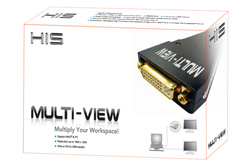
HIS Multi-View Adapter - Multi-tasking is made far easier!
HIS technology, October 29, 2008
|
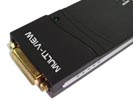
HIS Multi-View introduces the whole new computing experience! Just plugs in the HIS Multi-View and a few clicks, you get the workspace multiply! Once you have more than one monitor hooked up, multi-tasking is made far easier. |
 |
 |
HIS Multi-View Adapter
|
| Product Code: iHMULTiV |
|
Get the workspace multiply
|